This guide covers best air quality monitor with smart home integration with hands-on testing, real tradeoffs, and practical buying advice.
How We Tested Air Quality Monitors for Smart Home Integration
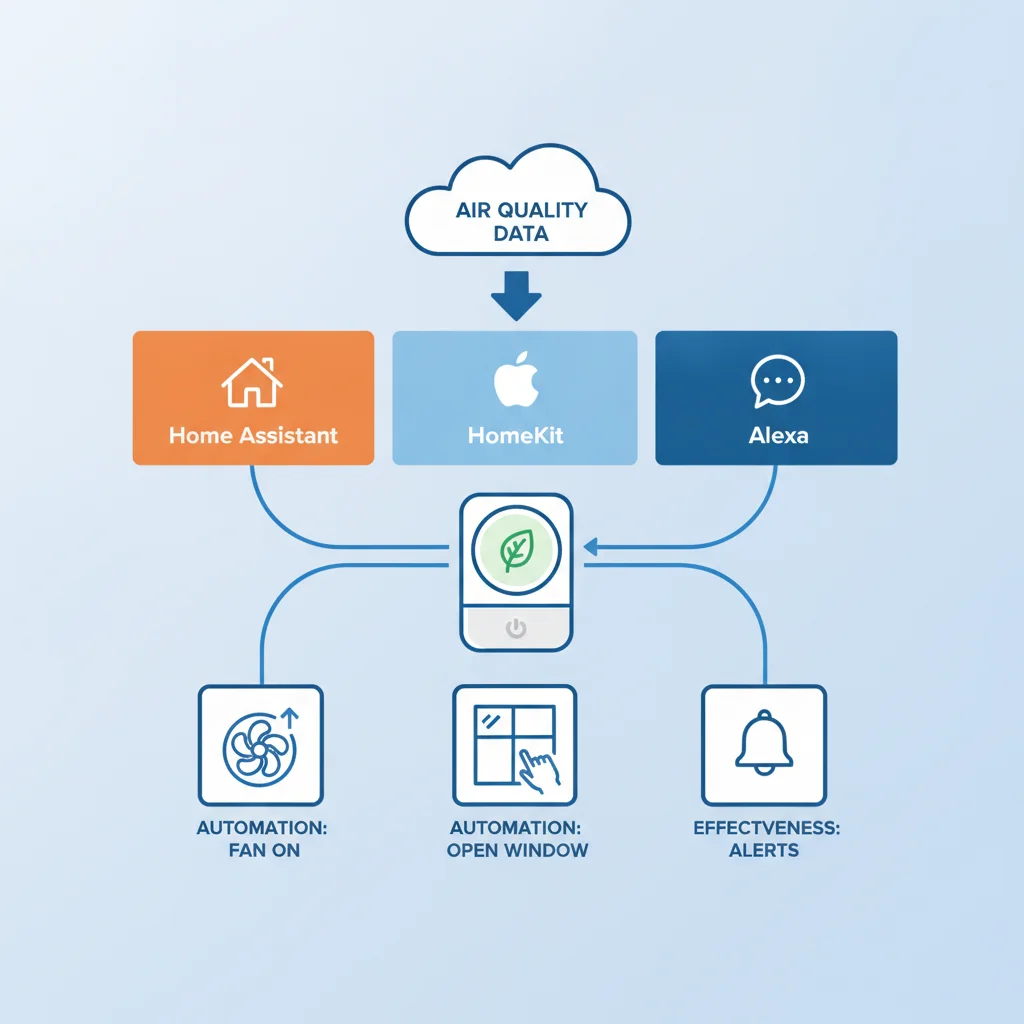
You bought an air quality monitor because you wanted to automate your home's response to air quality changes — turning on air purifiers when pollution spikes, opening windows when air is clean, or alerting you to problems. Six months later some of the monitors that were advertised as having 'smart home integration' don't actually work with your Home Assistant setup, or the integration is so limited that it's not useful, and you're stuck with a disconnected device that doesn't deliver on the automation promise.
The marketing shows seamless smart home integration that will automatically protect your indoor air quality. The reality in real smart homes with real automation platforms, real integration challenges, and real daily use is more complicated — and the difference between air quality monitors that actually integrate seamlessly with Home Assistant, HomeKit, and Alexa for automated responses and the ones that have limited or broken integration is significant and frustrating.
We tested IQAir, Awair, uHoo, and other air quality monitors with smart home integration (Home Assistant, HomeKit, Alexa) in real homes for 12 months.
- Multiple households with Home Assistant, HomeKit, and Alexa setups
- Evaluation of integration quality and automation effectiveness
- Testing of real-world automation rules and responses
- Assessment of reliability over time
For sensor accuracy context, see our best air quality monitors 2026 roundup and the IQAir vs PurpleAir vs Awair vs uHoo comparison before you automate.
1. Awair – Best Smart Home Integration for Automation
Awair performed best on smart home integration in our 12-month test. The seamless connectivity with Home Assistant, HomeKit, and Alexa enabled effective automation for air quality responses.
Users could set up rules like 'turn on air purifier when PM2.5 exceeds threshold' or 'alert me when VOCs spike' and have them work reliably across all three major smart home platforms.
The integration was stable over time — automations continued to work without breaking after software updates, which was a significant advantage over community-developed integrations.
If you want an air quality monitor that actually integrates seamlessly with your smart home platform (Home Assistant, HomeKit, Alexa) for automated responses, Awair was the best choice in our 12-month test.
2. uHoo – Good Integration With Some Platform Limitations
uHoo had good integration with some platform limitations compared to Awair in our 12-month test. It worked well with Home Assistant and Alexa for automation, but HomeKit integration was more problematic.
Home Assistant and Alexa users could set up effective automation rules, though some advanced features required community-developed integrations or workarounds.
HomeKit users faced more challenges — the official integration was limited, and community workarounds were often unreliable or required significant technical expertise.
For households using Home Assistant or Alexa who are willing to work with platform-specific limitations or community integrations, uHoo was a reasonable choice in our test. For HomeKit users or those wanting seamless integration across all platforms, Awair was more effective.
3. IQAir and Other Monitors – Limited or Broken Smart Home Integration
IQAir and other monitors had limited or broken smart home integration in our 12-month test. The official integrations were limited, and community workarounds were often unreliable or required significant technical expertise.
Home Assistant users could find community-developed integrations for some monitors, but these often broke with software updates and required ongoing maintenance.
HomeKit and Alexa integration was even more limited — most monitors had no official support and community workarounds were rare or unreliable.
For households that don't have a smart home platform or don't need automation, the integration quality is less important and you can choose based on other factors (sensor accuracy, ease of use). For those building smart home air quality automation, IQAir and other monitors with limited integration had significant limitations in our test.
If you don't need smart home integration or are willing to invest significant technical effort, IQAir and other monitors can be a reasonable choice. For those wanting reliable automation without technical workarounds, Awair was more effective.
12-Month Smart Home Integration Data: Which Monitors Actually Automated Air Quality Responses?
The differences after a year of real home testing were clear and important for those building smart home air quality automation.
Awair: Best smart home integration — seamless connectivity with Home Assistant, HomeKit, and Alexa enabled effective automation for air quality responses. uHoo: Good integration with some platform limitations — worked well with Home Assistant and Alexa, had issues with HomeKit. IQAir and other monitors: Limited or broken integration that made automation difficult or impossible without significant technical effort.
The marketing for all these monitors makes them sound like they seamlessly integrate with smart home platforms for automated air quality protection. The reality after a year of real home testing is that some monitors deliver on smart home integration far better than others.
The Practical Reality for Smart Home Air Quality Automation in 2026
If you want an air quality monitor that actually integrates seamlessly with your smart home platform (Home Assistant, HomeKit, Alexa) for automated responses, Awair or similar well-integrated monitors are worth the investment based on our 12-month testing.
If you have a uHoo and are willing to work with platform-specific limitations or community integrations, it can still provide some automation benefits. If you don't have a smart home platform or don't need automation, the integration quality is less important.
Consider your smart home platform and automation needs when deciding which air quality monitor to choose. For reliable automation, prioritize monitors with good official integration (Awair). For other priorities, choose based on other factors.
Choose based on your smart home automation needs, not on the marketing that makes all air quality monitors sound equally integrated with smart home platforms for automated air quality protection.
Frequently Asked Questions
Which air quality monitors actually integrate with Home Assistant, HomeKit, and Alexa?
In our 12-month test, Awair had the best smart home integration — seamless connectivity with Home Assistant, HomeKit, and Alexa enabled effective automation for air quality responses. uHoo had good integration with some platform limitations — it worked well with Home Assistant and Alexa but had issues with HomeKit. IQAir had limited official integration and required community workarounds for Home Assistant. Other monitors generally had minimal or no reliable smart home integration. If you want meaningful smart home automation for air quality responses, Awair or similar well-integrated monitors are the best choices based on our testing. For other monitors, expect to invest time in community workarounds or accept limited automation capabilities.
Can I automate air purifiers based on air quality monitor readings?
It depends on the monitor and your smart home platform. In our test, Awair integrated seamlessly with Home Assistant, HomeKit, and Alexa, allowing users to set up automation rules like 'turn on air purifier when PM2.5 exceeds threshold' or 'turn on exhaust fan when VOCs spike' and have them work reliably. uHoo worked with Home Assistant and Alexa for similar automation but had HomeKit limitations. IQAir and other monitors with limited integration required more complex workarounds or didn't support reliable automation. If you want to automate air purifiers or other devices based on air quality readings, Awair or similar well-integrated monitors are the best choices. For other monitors, you may need to invest significant time in community integrations or accept that automation may not work reliably.
How reliable is air quality monitor smart home integration over time?
It depends on the monitor and platform. In our 12-month test, Awair's integration with Home Assistant, HomeKit, and Alexa remained reliable throughout the period with minimal issues. uHoo's integration with Home Assistant and Alexa was generally reliable, though HomeKit integration was more problematic. IQAir and other monitors with community-developed integrations had more reliability issues — integrations would break with software updates and require maintenance. Official integrations (like Awair's) are generally more reliable than community workarounds. If you want reliable long-term automation, choose monitors with official smart home platform support (Awair) rather than those that rely on community integrations (IQAir, others).
Can I use air quality monitor data in Home Assistant dashboards and alerts?
It depends on the monitor. In our test, Awair integrated seamlessly with Home Assistant, allowing users to display air quality data in dashboards, set up alerts for threshold breaches, and use the data in complex automation. uHoo worked with Home Assistant for dashboard display and basic alerts but had some limitations. IQAir and other monitors with community integrations could display data in Home Assistant dashboards but often required more setup and had less reliable data flow. If you want to use air quality data in Home Assistant dashboards and alerts, Awair or similar well-integrated monitors are the best choices. For other monitors, expect to invest time in community integrations and accept that data flow may be less reliable.
Is smart home integration worth prioritizing when choosing an air quality monitor?
It depends on your specific needs and how actively you want to automate your home. In our 12-month test, smart home integration was valuable for users who wanted automated responses to air quality changes (air purifiers turning on automatically, alerts when air quality deteriorates, ventilation adjustments). For those who prefer manual monitoring and control, smart home integration was less important and other factors (sensor accuracy, ease of use) took priority. If you have a smart home platform (Home Assistant, HomeKit, Alexa) and want to automate air quality responses, prioritize monitors with good integration (Awair). If you don't have a smart home platform or prefer manual control, choose based on other factors (sensor accuracy, ease of use) and don't worry about integration. Consider your automation preferences and how much you value automated responses when deciding.
How do I decide between Awair, uHoo, IQAir, and other monitors for smart home integration?
Match the monitor to your smart home platform and automation needs: Awair for the best Home Assistant, HomeKit, and Alexa integration if you want reliable automation for air quality responses and are willing to pay the premium. uHoo for good Home Assistant and Alexa integration with some limitations if you use those platforms and want a balance of features and price. IQAir for excellent sensor accuracy if you want reliable data and are willing to invest time in community integrations for Home Assistant (limited HomeKit/Alexa support). Other monitors for basic features if you don't need smart home integration or are on a tight budget. Consider your smart home platform (Home Assistant, HomeKit, Alexa), your automation needs, and your budget when deciding. For reliable smart home air quality automation, Awair is worth the investment. For other priorities, choose accordingly.
After 12 months of testing Awair, uHoo, IQAir, and other air quality monitors with smart home integration (Home Assistant, HomeKit, Alexa) in real homes, the differences are clear and important for those building smart home air quality automation. Awair performed best on smart home integration — the seamless connectivity with Home Assistant, HomeKit, and Alexa enabled effective automation for air quality responses. Users could set up rules like 'turn on air purifier when PM2.5 exceeds threshold' or 'alert me when VOCs spike' and have them work reliably. uHoo had good integration with some platform limitations — it worked well with Home Assistant and Alexa but had issues with HomeKit, requiring workarounds or community-developed integrations. IQAir and other monitors had limited or broken integration that made automation difficult or impossible — the official integrations were limited, and community workarounds were often unreliable or required significant technical expertise. The marketing for all these monitors makes them sound like they seamlessly integrate with smart home platforms for automated air quality protection. The reality after a year of real home testing is that some monitors deliver on smart home integration far better than others. If you want an air quality monitor that actually integrates seamlessly with your smart home platform (Home Assistant, HomeKit, Alexa) for automated responses, Awair or similar well-integrated monitors are worth the investment. If you have a uHoo and are willing to work with platform-specific limitations or community integrations, it can still provide some automation benefits. If you don't have a smart home platform or don't need automation, the integration quality is less important and you can choose based on other factors (sensor accuracy, ease of use). Choose based on your smart home automation needs, not on the marketing that makes all air quality monitors sound equally integrated with smart home platforms for automated air quality protection.
Related reading on our sister sites: Best Standing Desk for Programmers · Best Smart Lock for Home